

Send Real-Time Events from Browser to Vite Dev Server

Ever wanted your browser to talk directly to the Vite dev server? Whether you're building custom devtools, triggering rebuilds, or just logging user behavior during development — it's totally possible using Vite’s built-in WebSocket connection.
The Vite Dev Server's Built-in Websocket Connection
Vite's dev server runs a WebSocket behind the scenes to power features like hot module replacement (HMR). With a small trick, you can use this connection to send your own custom messages from the browser to the server — no polling or HTTP requests needed. It's all possible with a simple import.meta.hot object (aka the HMR API).
Step 1: Send a Custom Event from the Browser to the Vite Dev Server
Inside your app code, you can use import.meta.hot.send() to dispatch an event to the Vite server:
if (import.meta.hot) {
  import.meta.hot.send('my-custom-event', {
    message: 'Hello from the browser!'
  });
}
This only runs in development (since import.meta.hot is only defined in dev mode), making it perfect for debugging or building custom dev features.
Step 2: Listen for an Event on the Vite Server
In your vite.config.ts, use the configureServer hook to handle incoming events:
import { defineConfig } from 'vite';

export default defineConfig({
  plugins: [
    {
      name: 'custom-dev-events',
      configureServer(server) {
        server.ws.on('my-custom-event', (data) => {
          console.log('Received custom event:', data.message);
        });
      }
    }
  ]
});
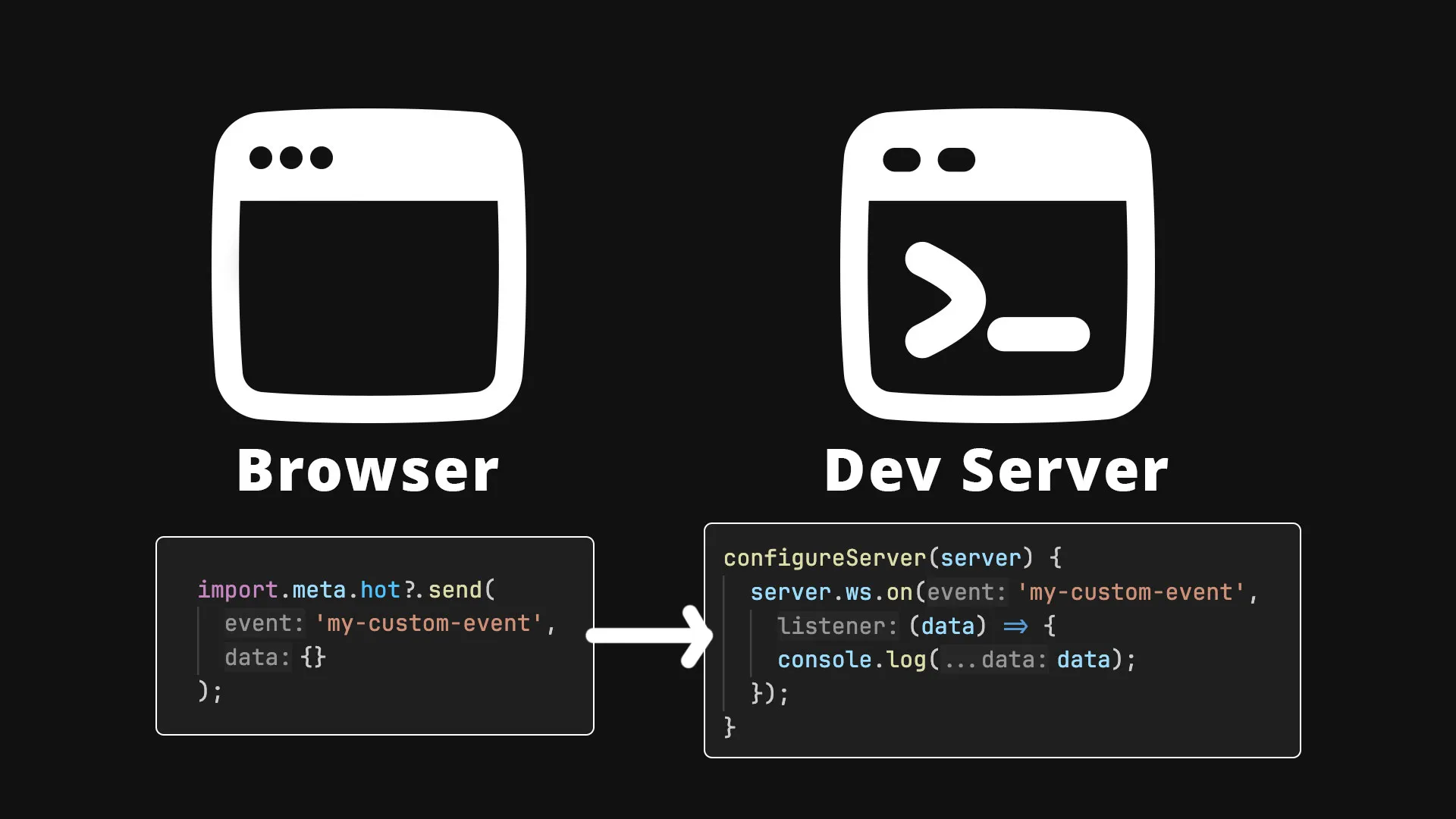
Now whenever that event is sent from the browser, your dev server can respond — log it, run a script, send something back, or whatever else you need.
The following illustration breaks down the process:
Bonus: Two-Way Communication
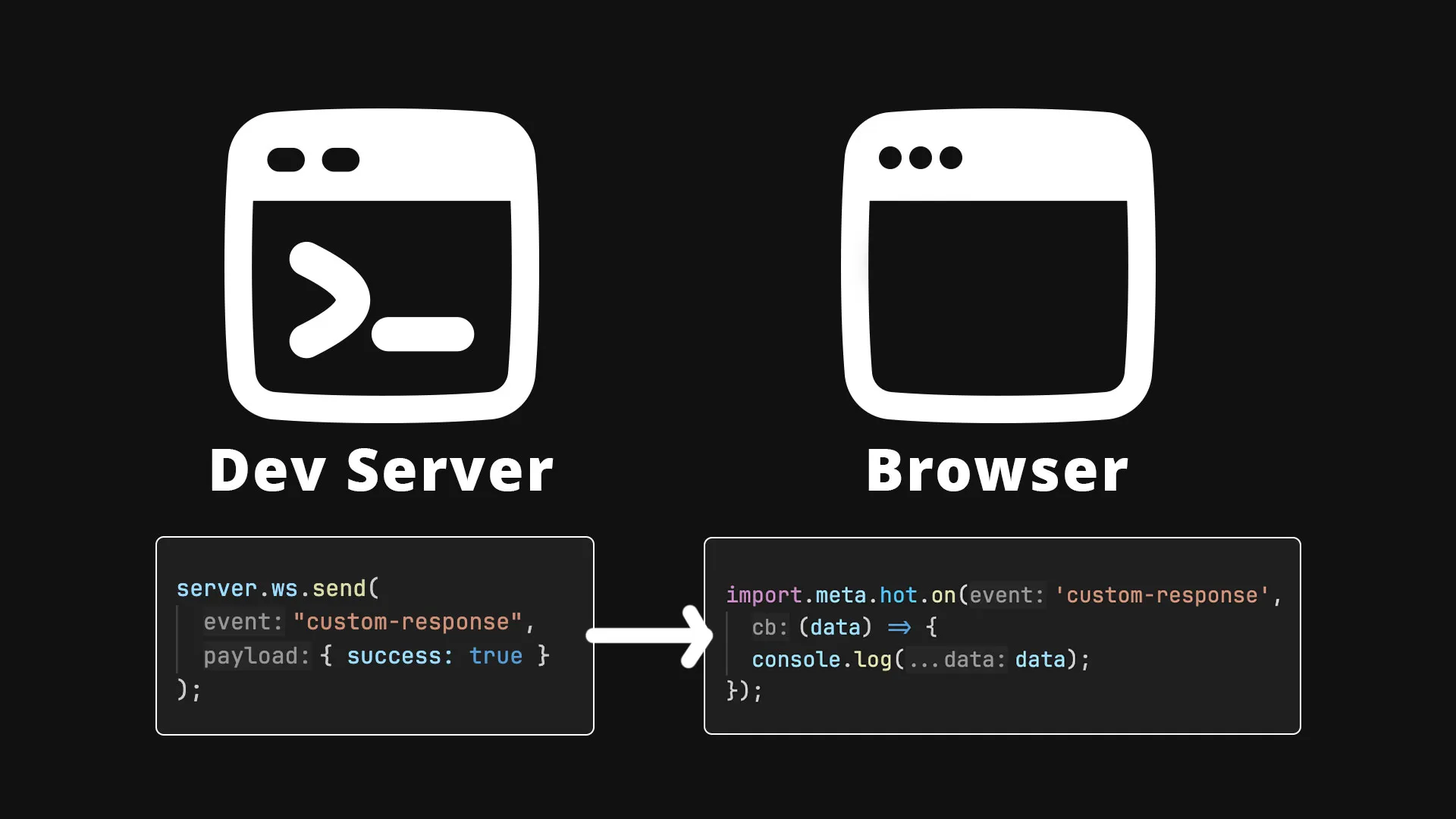
It's not only possible to speak from the browser to the dev server, but the dev server can talk back!
Here is how you can send a message from the Vite dev server to the browser.
server.ws.send(
    "custom-response",
    { success: true }
);
And receive it on the client:
if (import.meta.hot) {
  import.meta.hot.on('custom-response', (data) => {
    console.log('Got server response:', data.success);
  });
}
For the visual learners, this diagram illustrates the process further:
Avoiding Common Gotchas with import.meta.hot
Failure to Check for the Existance of import.meta.hot
There are several common mistakes people make when working with Vite's websocket connection. The most common is forgetting to check for the existance of the hot property on import.meta.
if (import.meta.hot) {
  import.meta.hot.send(...)
}
Alternatively you could use the optional chaining operator (?) to solve the same problem.
import.meta.hot?.send(...)Forgetting to Remove Listeners When No Longer Needed
Many browser side listeners are valid for the lifetime of the page load but some don't need to last that long. To save on resources, it's a great idea to remove import.meta.hot event listeners when no longer in use.
// defined listener callback as a named function
function onMyCustomEvent(data: any) { console.log(data); }

// listen
import.meta.hot?.on("my-custom-event", onMyCustomEvent);

// remove listener (passing same function name)
import.meta.hot?.off("my-custom-event", onMyCustomEvent);
Vite Dev Server Websocket Frequently Ask Questions
Question: Can I use import.meta.hot.send() in production?
- Answer: No, the
import.meta.hotAPI only works during development. It’s stripped out during the build process.
Question: How is this different from Webpack’s module.hot?
- Answer: Very similar in concept, but aligned with ES Modules (import.meta) instead of CommonJS (module). The API surface is slightly different but familiar if you’ve used Webpack HMR.
Question: Can I use import.meta.hot with server-side code in Vite?
- Answer: Yes, if you’re using Vite’s SSR dev mode. It allows hot-reloading server modules, but production still needs a restart.
Question: What other methods are available on import.meta.hot?
-
Answer: Besides send and on for custom events, Vite’s HMR API includes a few lifecycle methods:
-
accept(callback?)– Runs when this module (or a dependency) is updated. Often used to re-render UI or swap in new logic. -
dispose(callback)– Lets you clean up before a module is replaced (remove listeners, clear timers, close sockets). -
invalidate()– Marks the module as not hot-swappable; Vite will reload the page instead. -
prune(callback)– Called when a dependency is removed from the graph, useful for cleanup.
-
Use Cases for Sending Real Time Events from the Browser to the Vite Dev Server
-
Custom logging: Send events from the browser to log interactions directly in your dev console or save to your file system.
-
Exposing Browser Events to AI Agents: Let AI agents communicate directly with the browser without using a browser automation tool like Playwright.
-
Custom Dev Tooling - Vite already brings many DX improvements like blazing fast HMR, integration with linters and formatters, and more but with
import.meta.hotyou can customize your dev setup for your precise needs!
Summary: Sending Custom Events with import.meta.hot in Vite
- Use
import.meta.hot.send()to send events to the dev server - Handle them in
vite.config.tsviaserver.ws.on(...) - To go the opposite way use
import.meta.hot.on()in the browser andserver.ws.sendon the Vite server - Works great for dev-only workflows, no extra network layer needed
This is a super useful trick for building smoother tooling experiences, interactive playgrounds, or advanced logging without any production impact.
To see this in action view this example on stackblitz.
If you’d like more info on using or customizing Vite (including building your own Vite plugins), checkout our course Rapid Development with Vite.
Start learning Vue.js for free

Comments
Latest Vue School Articles

5 Component Design Patterns to Boost Your Vue.js Applications

Vibe Coding a Collaborative Editor with Comment Support with Nuxt UI and Jazz

Our goal is to be the number one source of Vue.js knowledge for all skill levels. We offer the knowledge of our industry leaders through awesome video courses for a ridiculously low price.
More than 250.000 users have already joined us. You are welcome too!
© All rights reserved. Made with ❤️ by BitterBrains, Inc.