

Rich Content Comments with TinyMCE and Vue.js

Part of the series: Rich Text Editing and Beyond with TinyMCE and Vue
Building a collaborative content management system in Vue.js? Commenting functionality is essential for team feedback before publication. Let's explore how to quickly integrate TinyMCE's powerful commenting system with your Vue.js application. And guess what? It works great with any authentication system you already have setup!

Set Up TinyMCE Comments with Vue
First, ensure you have TinyMCE installed in your Vue project. Then, enable the comments plugin in your configuration:
<Editor
 :init="{
     plugins: 'tinycomments ...'
     toolbar: 'addcomment showcomments ...'
 }"
>
These settings add both the plugin and convenient toolbar buttons for managing comments.
Configure Comment Storage
TinyMCE offers two storage modes for comments:
- Callback Mode (Default): Stores comments externally in your database
- Embedded Mode: Stores comments within the content
For this tutorial, we'll use embedded mode.
<Editor
 :init="{
     ...
     tinycomments_mode: 'embedded'
 }"
>
The embedded mode is particularly useful because it:
- Stores comments directly in your content
- Encodes comments in HTML comments, preventing them from displaying on the final page
- Allows easy removal before serving content to end users
- Simplifies the storage process by keeping comments with their associated content
Configure the Commenter Details
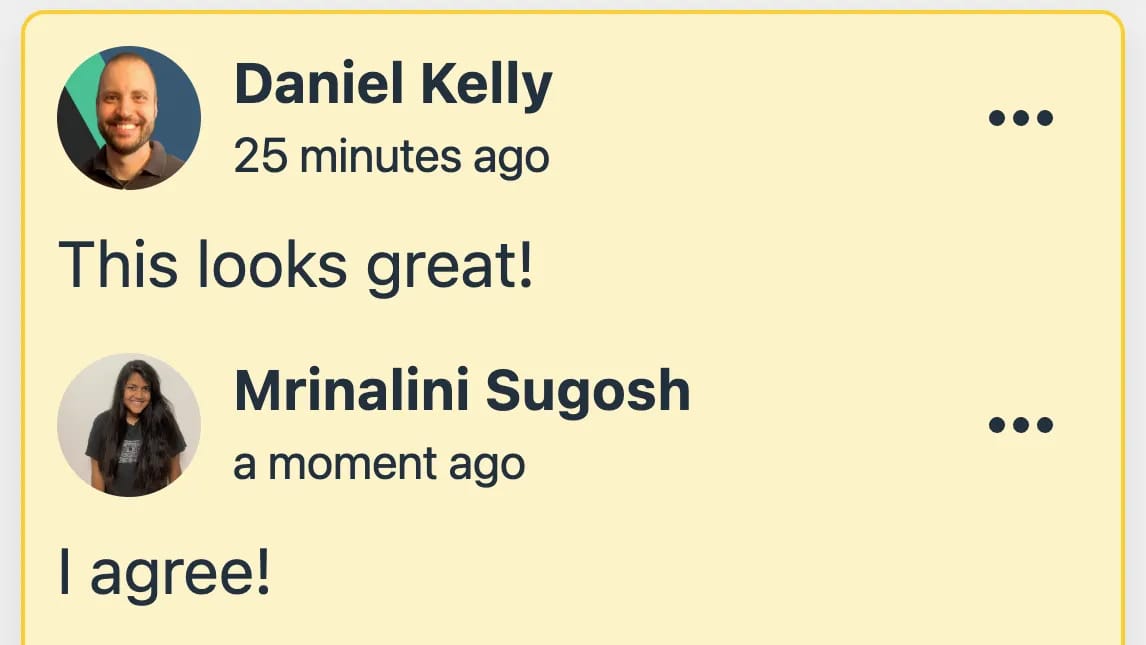
Next, we can provide the editor with a few configuration options to identify who is making the comment including their name, an avatar, and a unique identifier per user.
<Editor
 :init="{
     ...
     tinycomments_author: 'username',
     tinycomments_author_name: 'Display Name',
     tinycomments_author_avatar: 'https://your-avatar-url.com/image.jpg'
 }"
>
These values can be dynamic of course, given that this is a Vue application. So you would probably want to use whatever auth solution already setup within your application to fill them out correctly.
<script setup>
// this is psuedo code
// get your user details according to the auth system setup in your application
const { user } = useAuth()
</script>
<Editor
 :init="{
     ...
     tinycomments_author: user.id,
     tinycomments_author_name: user.name,
     tinycomments_author_avatar: user.avatar
 }"
>
Managing Comment Permissions
With user information in place, you get a few permission controls out of the box. For example, by default users can only delete and edit their own comments.
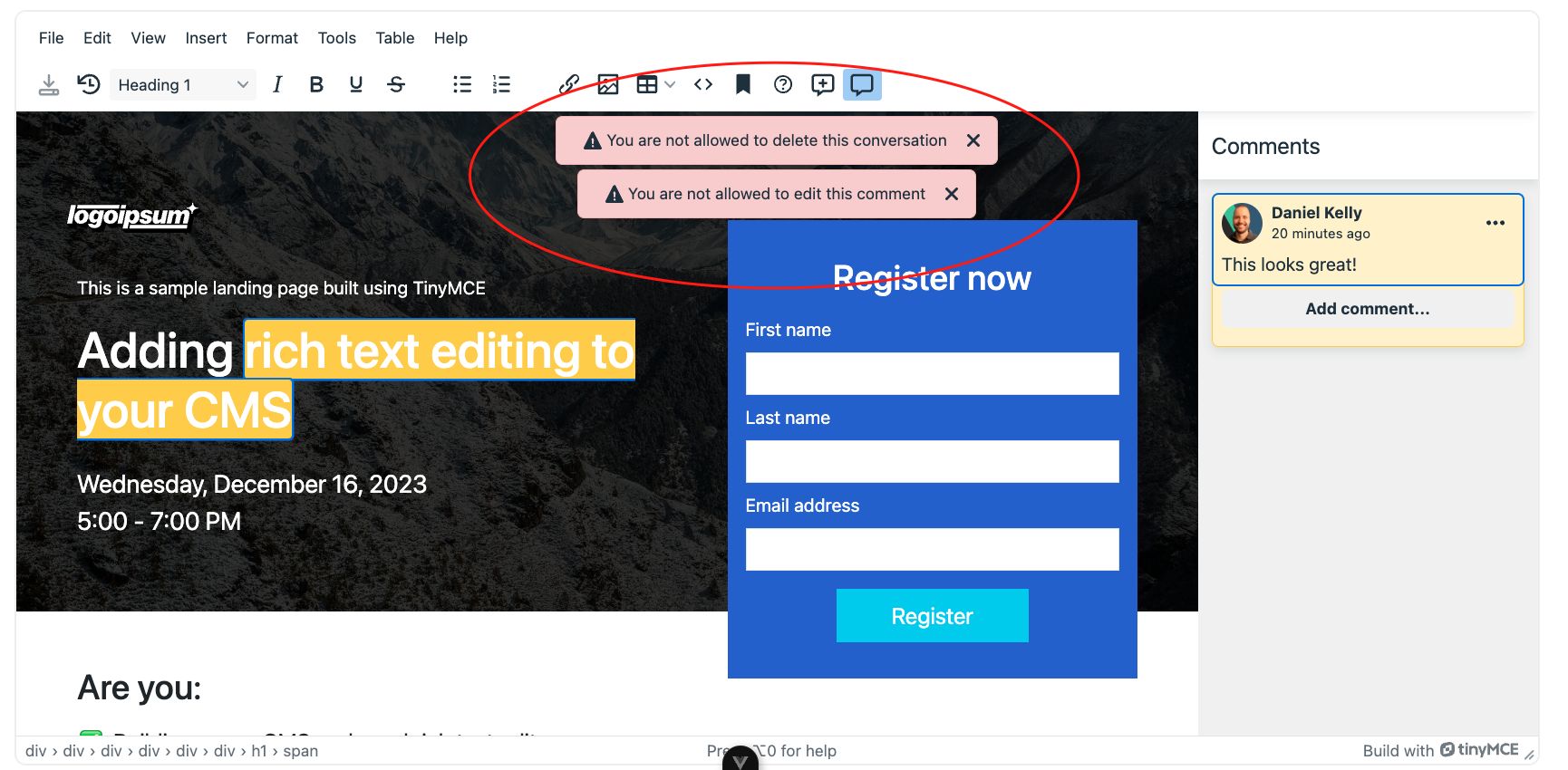
You can customize these permissions further though with a variety of optional callbacks. For example, here's how you could customize deleting and editing based on a super admin role
// (once again, tailor this to fit your auth solution)
tinycomments_can_delete: async (req, done) => {
    const canDelete =
      req.author === user.username ||
      user.role === 'superadmin'
    done(canDelete)
  },
  tinycomments_can_edit: async (req, done) => {
    const canEdit =
      req.author === user.username ||
      user.role === 'superadmin'
    done(canEdit)
  }
Comment Thread Resolution
Besides creating, editing, deleting, and replying to comments you can also resolve threads so that they disappear once the conversation is at an end.
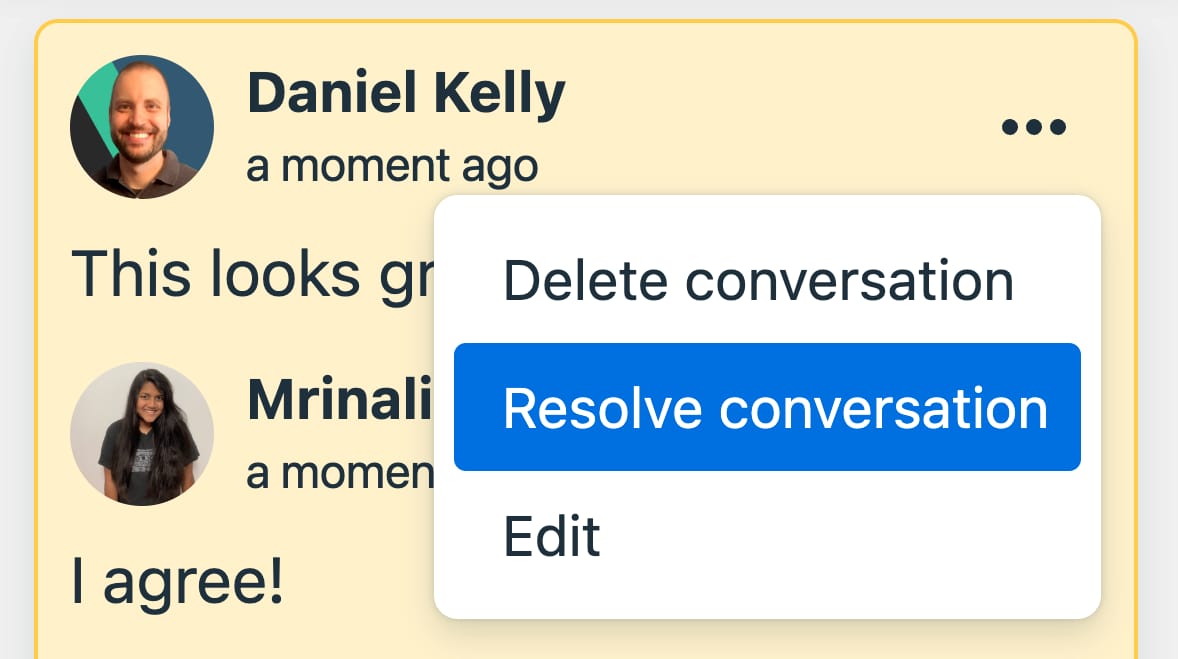
Enabling thread resolution is done with the tinycomments_can_resolve callback.
tinycomments_can_resolve: (req, done, fail) => {
    done({
        // user.id here depends on your auth setup
        canResolve: req.author === user.id
    });
},
Store Comments in Your Database
Since we’re using the embedded mode storing the comments along with your content is a breeze. All content is synced with the v-model directive on the editor.
<Editor v-model="content" ... />So given a custom save button, you can send off the content to be stored via your own API endpoints.
<script setup>
const content = ref();
function handleSave(){
  fetch('https://myapi.com/...', {
    method: 'POST'
    body: content.value
  })
}
</script>
<template>
    <Editor v-model="content" ... />
    <button @click="handleSave">Save</button>
</template>
Ready to Integration Comments into Your Rich Text Editor?
By integrating TinyMCE for rich text and document editing you can easily opt-in to it’s feature rich commenting system within your Vue.js application. You can create a secure and collaborative environment for content creation quickly and easily. Best of all, it works out of the box with your current authentication system! The system supports:
- User-specific comment attribution
- Granular permission controls
- Comment editing, deleting, and replies
- and thread resolution
If you’d like to purse using TinyMCE within your apps for rich content and comments support, then we have alot more material available to help you out. Checkout our course Rich Text Editing and Beyond with TinyMCE and Vue for a step by step walkthrough of setting up comments plus a whole lot more including:
- Toolbar customization
- Editor Auto resizing
- AI integration
- Content import from a word doc
- Auto draft saving
- and more!
Start learning Vue.js for free

Comments
Latest Vue School Articles

5 Component Design Patterns to Boost Your Vue.js Applications

Vibe Coding a Collaborative Editor with Comment Support with Nuxt UI and Jazz

Our goal is to be the number one source of Vue.js knowledge for all skill levels. We offer the knowledge of our industry leaders through awesome video courses for a ridiculously low price.
More than 250.000 users have already joined us. You are welcome too!
© All rights reserved. Made with ❤️ by BitterBrains, Inc.